First customers
Add your first few customers.
Customers and pools live on the Contacts tab. Add a short list by hand, or bring a longer book in from a spreadsheet. This is the owner path, not an API.
Where they live, then how to add them
-
1
Open the Contacts tab
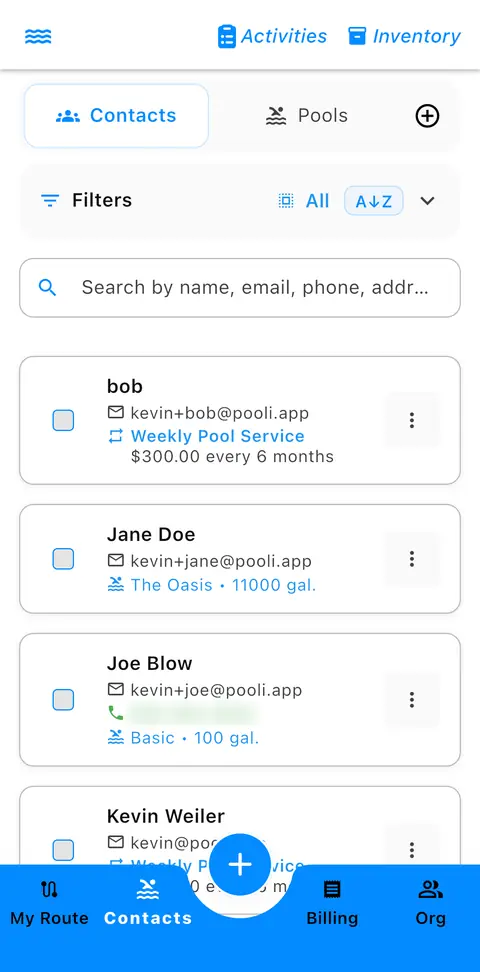
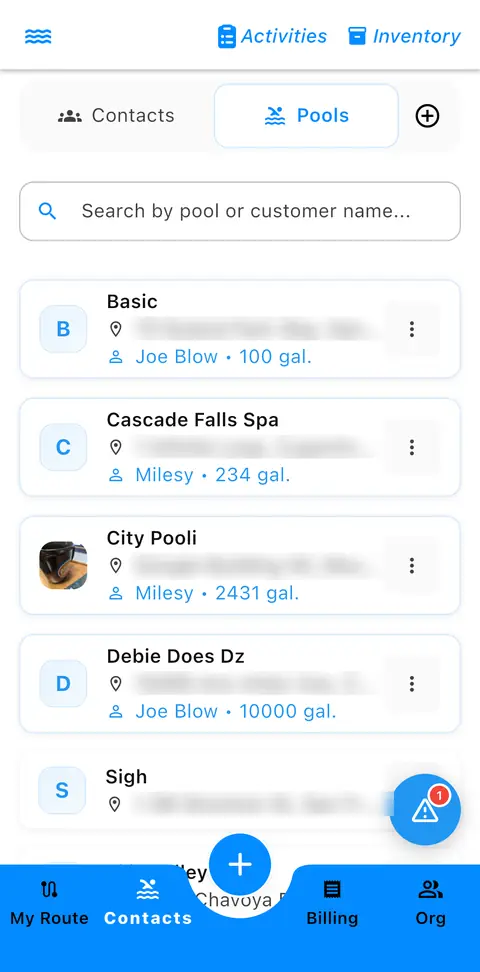
The bottom bar is My Route, Contacts, Billing, and Org. Tap Contacts. That tab holds both contacts and pools. A switch at the top toggles between Contacts and Pools.
-
2
Search, then filter
On Contacts, Search and Filters sit under the switch, including A to Z. Search matches a name, email, phone, or address. On Pools, search is by pool or customer name.
-
3
Follow the blue text
On each card, the blue text links to the related record. On a contact it shows their pool or pools, and their service subscription. On a pool it shows the contact who owns it.
-
4
Add one with the plus button
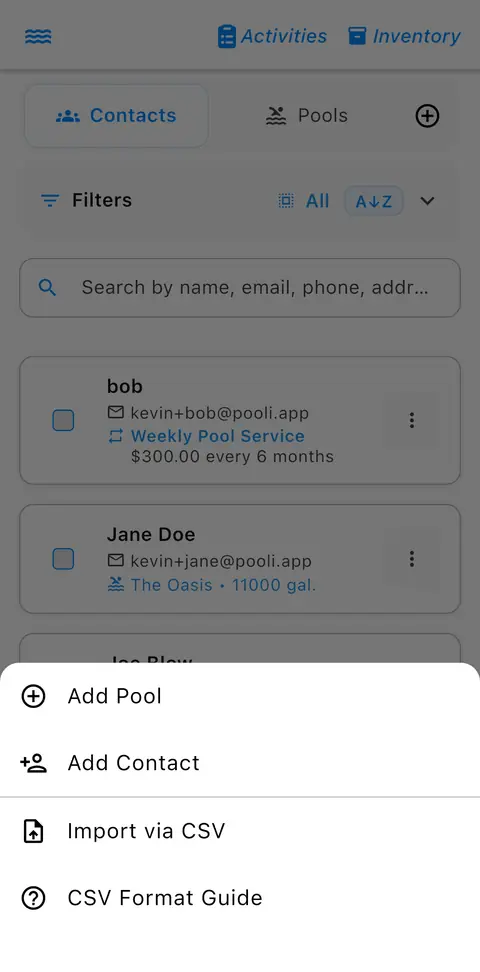
The (+) beside the Contacts and Pools switch opens Add Pool, Add Contact, Import via CSV, and CSV Format Guide. For a short list, add the contact and the pool by hand: a name, a phone or email, a street address, and the pool.
-
5
Or import a CSV
One row per pool. Include the customer name, a phone or email, the street address, the pool name, and the gallons if you know them. Import via CSV is in that same (+) menu. The CSV guide on pooli.app lists the columns if you want the full sheet. CSV Format Guide is in the menu too.
-
6
Update matching rows
Run the same file again and matching rows update instead of doubling, when the email, or the name plus phone, lines up.
Moving a whole book from paper or another service tool? Email support@pooli.app and we will help.
More guides
Get started
Set up your organization
Log in or install Pro, create the company, and add the first technician. Under 5 minutes. The customer book is the next step, not a gate.
First customers
Add your first few customers
They live on the Contacts tab, with pools on the same screen. Add a few by hand, or use Import via CSV.
After the stop
Send a service report
Email the full report, copy a shareable link, or send it via Messages. The customer opens it with no login.
Building a tool on the API? API docs are still here.